
Discover Feedback
Received feedback can be explored on the dataset page and visualized on the molecular data page. For public datasets, all feedback is also publicly available. In the case of draft datasets, the feedback is only observable for project collaborators.
On the Molecular Data Page
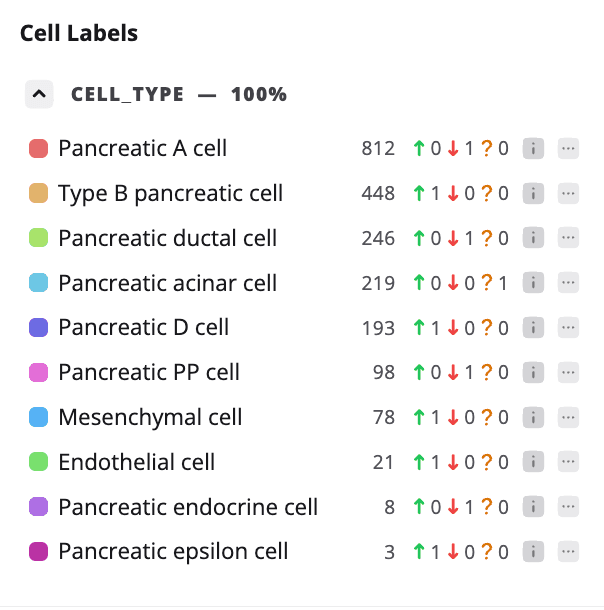
The total number of feedback entries for each cell type annotation is shown in the Cell Label side panel. A green arrow indicates Agree, a red arrow indicates Disagree, and a question mark indicates I Don’t Know.
The distribution of feedback entries across cell types can be displayed on the embeddings plot. Open the Plot Feedback dropdown menu and select the feedback type you want to visualize.
On the Dataset Page
All feedback submitted for the dataset can be viewed by clicking Feedback Received on the dataset page. You can download it as a CSV file by clicking the Export CSV icon.
Use Sorting options to sort the feedback by the most agreements, disagreements or I don't know responses.
Use the filter bar on the side of the page to filter feedback by the type or by the cell annotation.